Editable PPTX output
Slides are rebuilt from the Marp structure, not rendered as images
Turn Markdown into slides you can edit in PowerPoint.
Max 10MB
Conversion in your browser · Free · No sign-up
By using this tool, you agree to the Privacy Policy and Disclaimer.
See the workspace
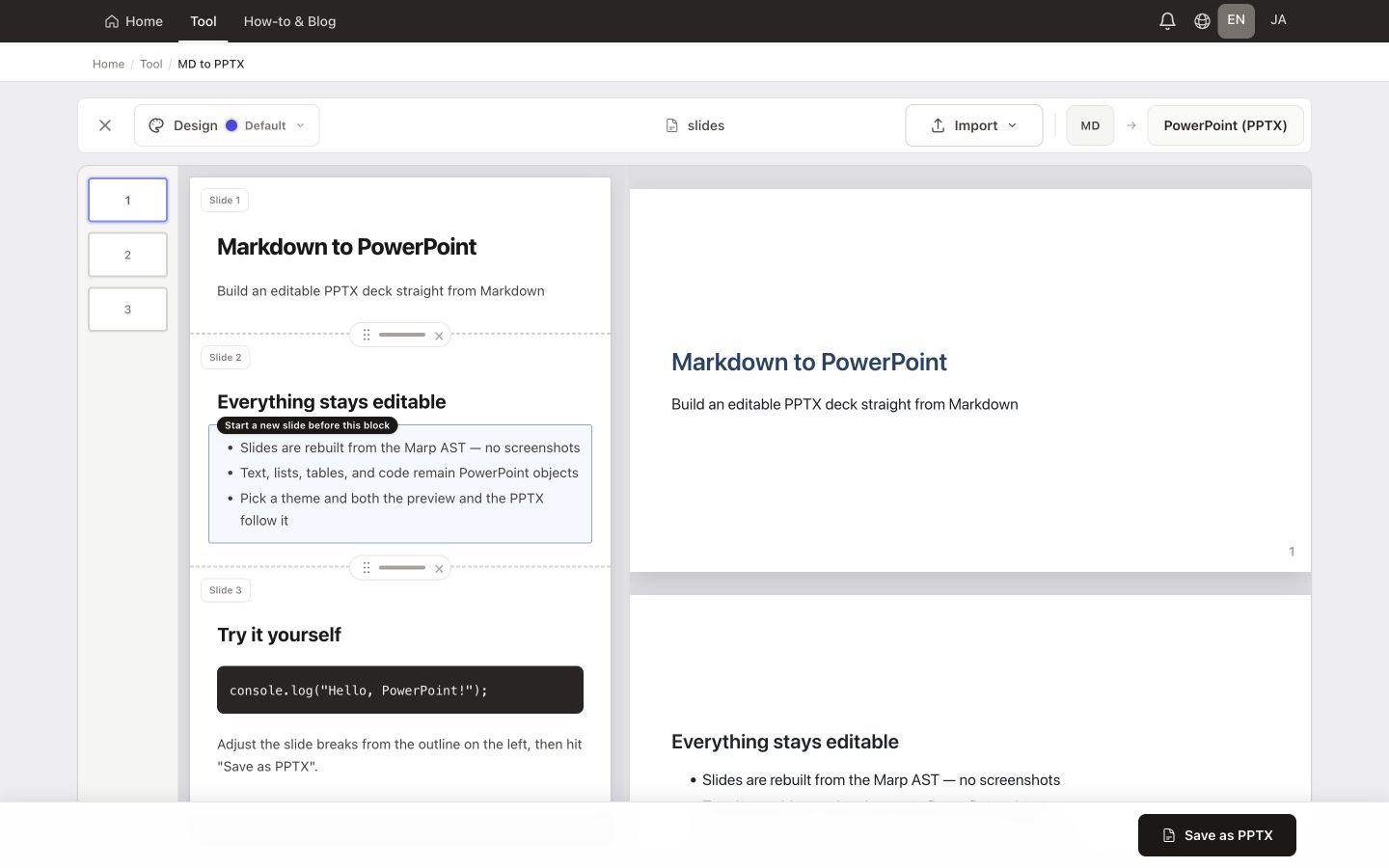
See the real workspace with sample Markdown loaded, then follow the path from import to download.
Features
Turn Markdown into an editable PowerPoint deck. Load a company PPTX template to keep its masters and layouts while placing your text—all in the browser.
Slides are rebuilt from the Marp structure, not rendered as images
Preserve masters, layouts, logos, and footers
Add or remove breaks directly from the read-only outline
Review every slide exactly as it will be paginated
Convert GFM content into editable PowerPoint elements
The conversion runs entirely in your browser, no uploads
MADE FOR YOUR WORK
Build a first draft of a pitch, team update, or training deck from Markdown. Export text and tables as editable PowerPoint objects, with an optional company PPTX template.
Open the exported PPTX in PowerPoint to check fonts and object positions. Browser previews and PowerPoint use different rendering engines, so their layouts can differ. Choose slide PDF output for sharing without further editing.
Want a PDF deck? Open Markdown to slidesTips & use cases
Open a Markdown file, refine the slide breaks in the outline, preview the deck with Marp, and download it as an editable .pptx.
Free · No sign-up · Conversion runs in your browser